
ChatWithPDF-Rag-App
Overview
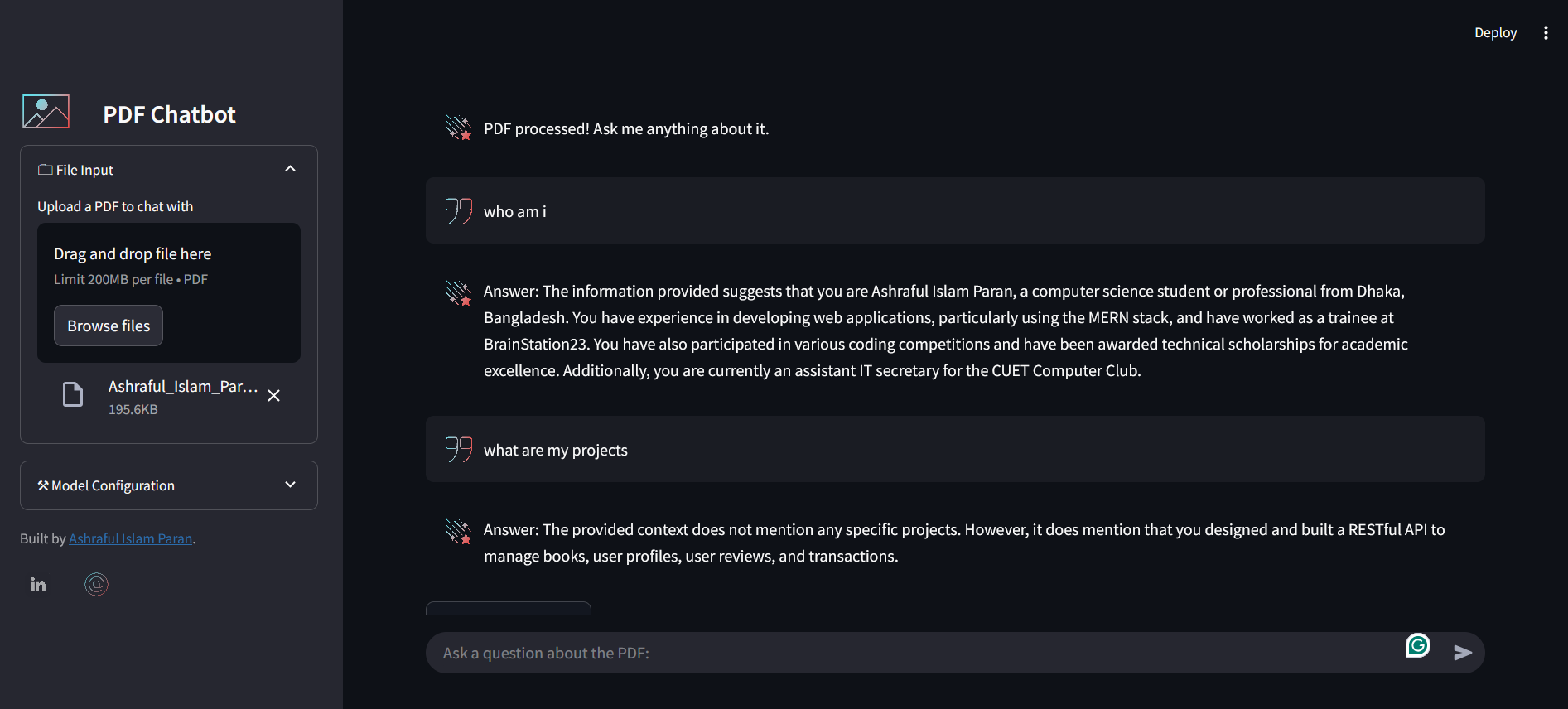
ChatWithPDF-Rag-App is an intelligent document interaction system that allows users to have natural conversations with PDF documents. The application uses RAG (Retrieval-Augmented Generation) technology to provide accurate, context-aware responses to questions about PDF content.
Key Features
- PDF Question Answering: Ask questions about any uploaded PDF document
- Custom Prompt Engineering: Uses carefully crafted prompts for accurate and context-aware responses
- Source Document Tracking: Displays the source documents used to generate each answer
- Advanced Language Models:
- Uses
sentence-transformers/all-MiniLM-L6-v2for embeddings - Powered by
mistralai/Mistral-7B-Instruct-v0.3for language generation
- Uses
Technical Details
- Backend: Python 3.11+
- Frontend: Streamlit
- Vector Database: FAISS for efficient similarity search
- Authentication: Hugging Face API integration
- Duration: Mar 2024 – Present
Installation and Setup
- Clone the repository:
git clone https://github.com/ashrafulparan2/ChatWithPDF-Rag-App.git cd ChatWithPDF-Rag-App - Install dependencies:
pip install -r requirements.txt - Set up Hugging Face authentication:
huggingface-cli login - Run the application:
streamlit run app.py --server.enableCORS false --server.enableXsrfProtection false
Implementation Details
Vector Store Setup
- The application uses FAISS (Facebook AI Similarity Search) for efficient document retrieval
- Requires pre-generated vectorstore files (
index.faissandindex.pkl) in thevectorstore/db_faiss/directory - Embeddings are generated using the
sentence-transformers/all-MiniLM-L6-v2model
Question Answering Pipeline
- User uploads a PDF document
- Document is processed and vectorized
- User questions are embedded and matched against the document vectors
- Relevant context is retrieved and fed to the Mistral-7B model
- Model generates natural, context-aware responses
User Interface
- Clean, intuitive Streamlit interface
- Drag-and-drop PDF upload
- Real-time question answering
- Source document display for transparency
- File size limit of 200MB per PDF